
No forms
Report in your own words
No hunting for fields or squeezing real-world updates into a rigid form. Just say what happened.
Share one link. Your team opens it on any phone and reports by text, voice, or photo. SheetMemo turns each update into structured fields, asks for missing details, and saves only after confirmation.
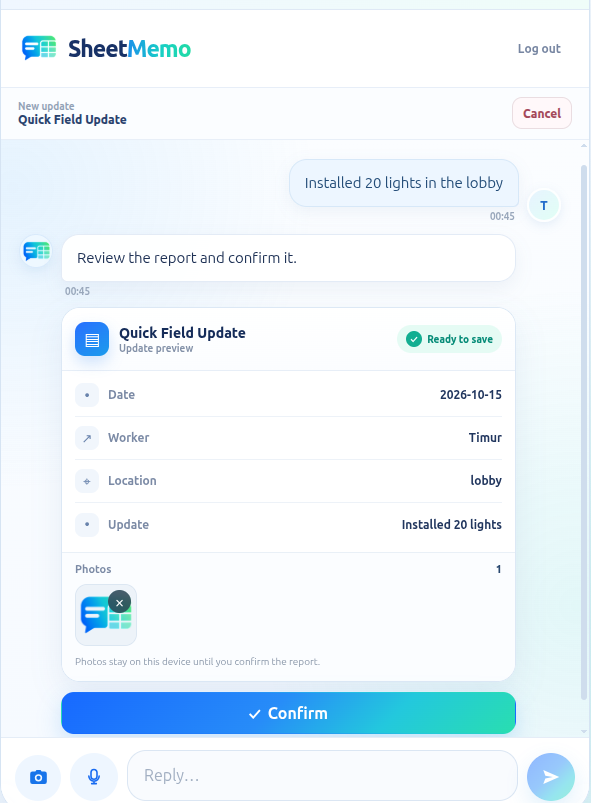
Open a link · report by text, voice, or photo · review · confirm
Why SheetMemo
The reporting experience stays simple for participants, while the output stays structured for the people working in Google Sheets™.
No hunting for fields or squeezing real-world updates into a rigid form. Just say what happened.
Participants do not need a SheetMemo account. They open the link on their phone and report.
SheetMemo maps natural updates into your fields and can ask for information that is still missing.
Confirmed records go to the spreadsheet your office already uses. No new dashboard is required.
The reporting page opens from a normal mobile link and can be added to the home screen for app-like access.
The sender sees the structured result before it becomes a record, so AI stays part of a controlled workflow.
How it works
You define the structure from Google Sheets™. Participants never need to understand that structure — SheetMemo handles it for them.
Set up your first flow →Set up the columns you need from the SheetMemo sidebar in Google Sheets™.
Invite the people who send updates. No participant account is required.
Text, voice, and supporting photos work from the mobile page or Telegram.
AI structures the update, asks for missing details when needed, and saves the confirmed row.
From update to row
A person can describe the work naturally. Your spreadsheet still gets the fields you need.
Replaced the pump at 24 Main Street. Everything is working now. Customer signed off. Follow-up inspection next Friday.
Built for real work
Start with one reporting flow. Keep the spreadsheet workflow your office already understands.
Completed quantities, blockers, locations, next steps, and evidence from the job site.
Capture what was done, where, the outcome, customer status, and follow-up work.
Turn spoken or typed observations into consistent inspection rows without a long checklist form.
Log completed work, issues found, parts used, and the next action from a phone.
No spreadsheet editing. No account setup. No training on a new field-management app.
Configure the report from Google Sheets™ and receive consistent rows instead of chasing messages.
Input channels
Use the mobile link for the lowest-friction experience, or Telegram when that already fits your team.
No signup and no app-store install. Open it, report, confirm.
Send text, voice, and supporting photos using the same report structure.
Add new inputs without changing the structured Google Sheets™ destination.
Use SheetMemo free during Early Access with up to 25 successfully exported records and 100 AI actions per Workspace each month.
SheetMemo
Set up the fields once, share a link, and let your team report in their own words.